Welcome to Wraith Dreams Software & SIHigh-Performance Desktop Super Intelligence & Media Engineering
Studio-grade desktop applications engineered for creative professionals, video editors, and audio engineers. Deterministic on-premises inference, dedicated GPU acceleration, and uncompromising confidentiality — free from cloud dependencies and subscription overhead.
Windows 10 / 11AvailablemacOSIn developmentLinuxIn development
More dedicated software tools coming soon for Windows, macOS, and Linux! Flagship Whisper Transcriber Pro v1830 BETA and lossless WR Media Extractor V2 are available for download now, while next-generation studio tools and native Apple Silicon / Linux builds are under active development.
Sovereign Local SI
100% on-premises execution, zero cloud telemetry, uncompromised confidentiality.
Hardware dGPU Compute
High-throughput tensor core pipeline engineered for discrete GPU architectures.
100+ Acoustic Models
High-accuracy multilingual speech decoding and source-aware dialogue segmentation.
Perpetual Studio License
Predictable capital investment, permanent commercial ownership, zero recurring fees.
DESKTOP SOFTWARE SUITE & CATALOG
Professional SI & Multimedia Engineering
Purpose-built Windows applications engineered to drastically accelerate studio and creative workflows.
FLAGSHIP SI • v1830 BETA (READY) | v1840 STABLE (SOON)
Whisper Transcriber Pro
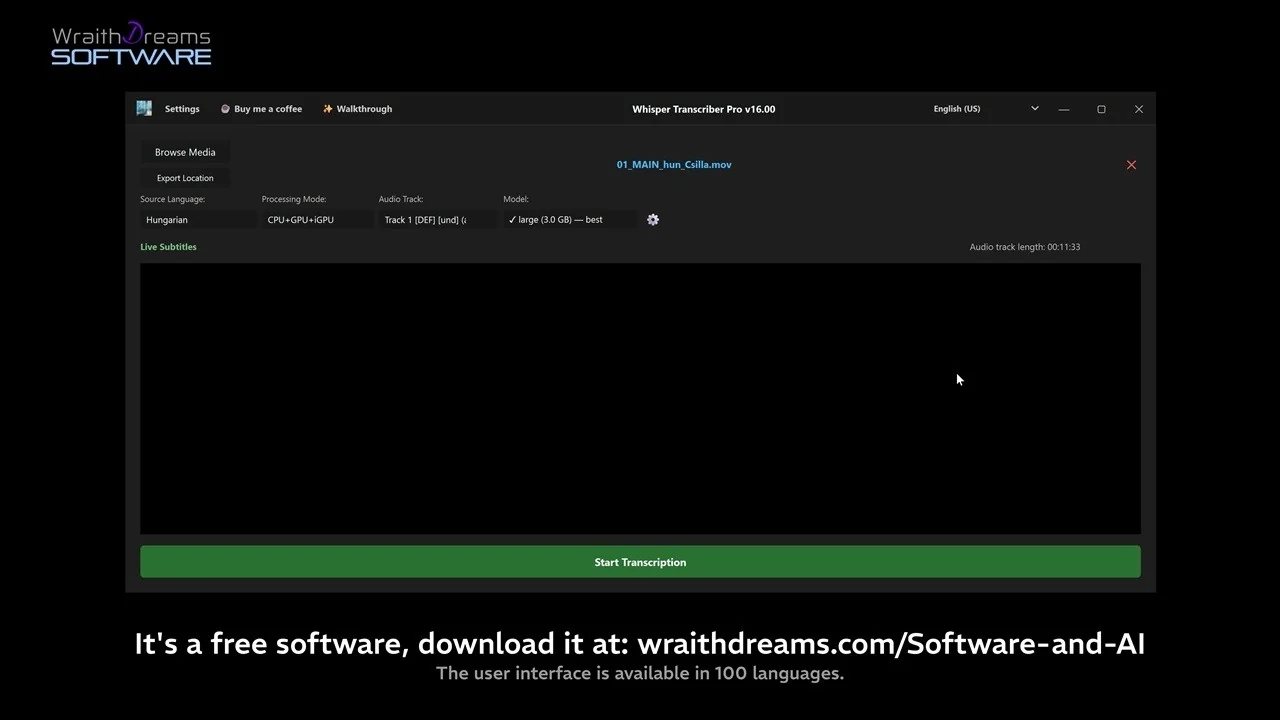
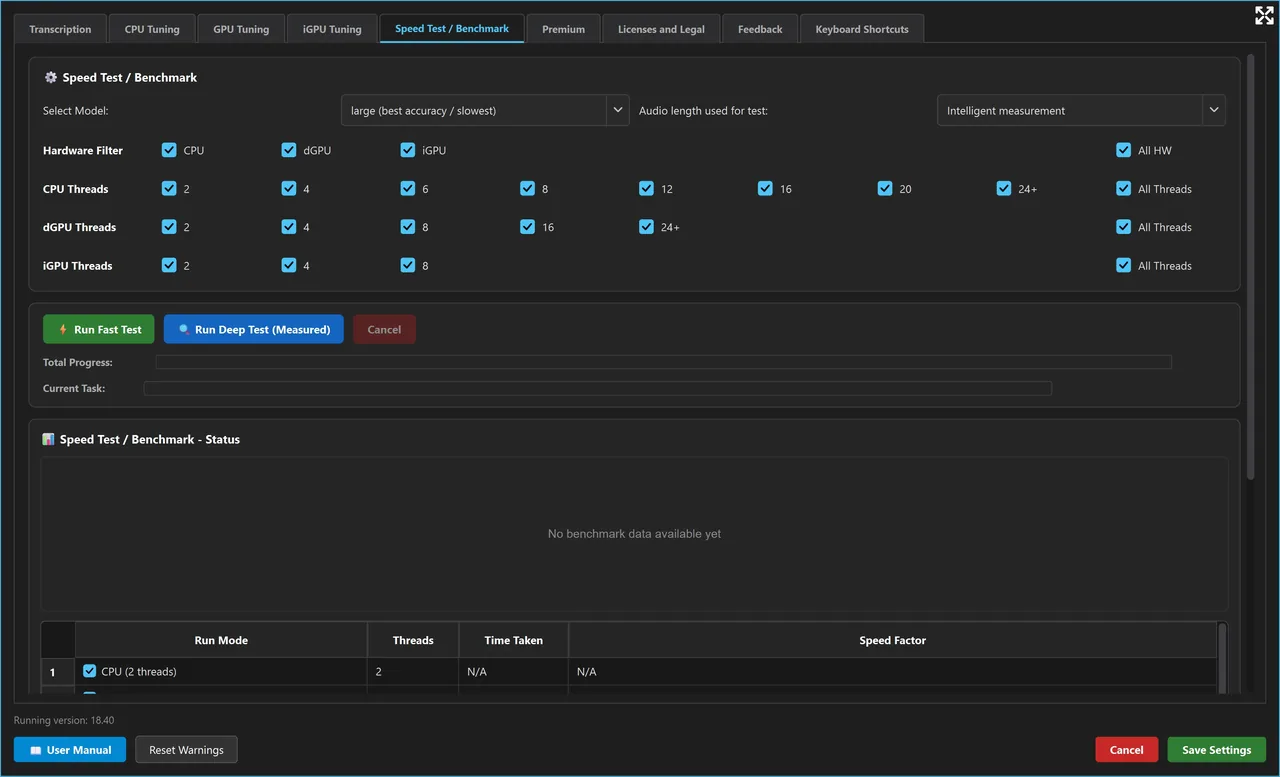
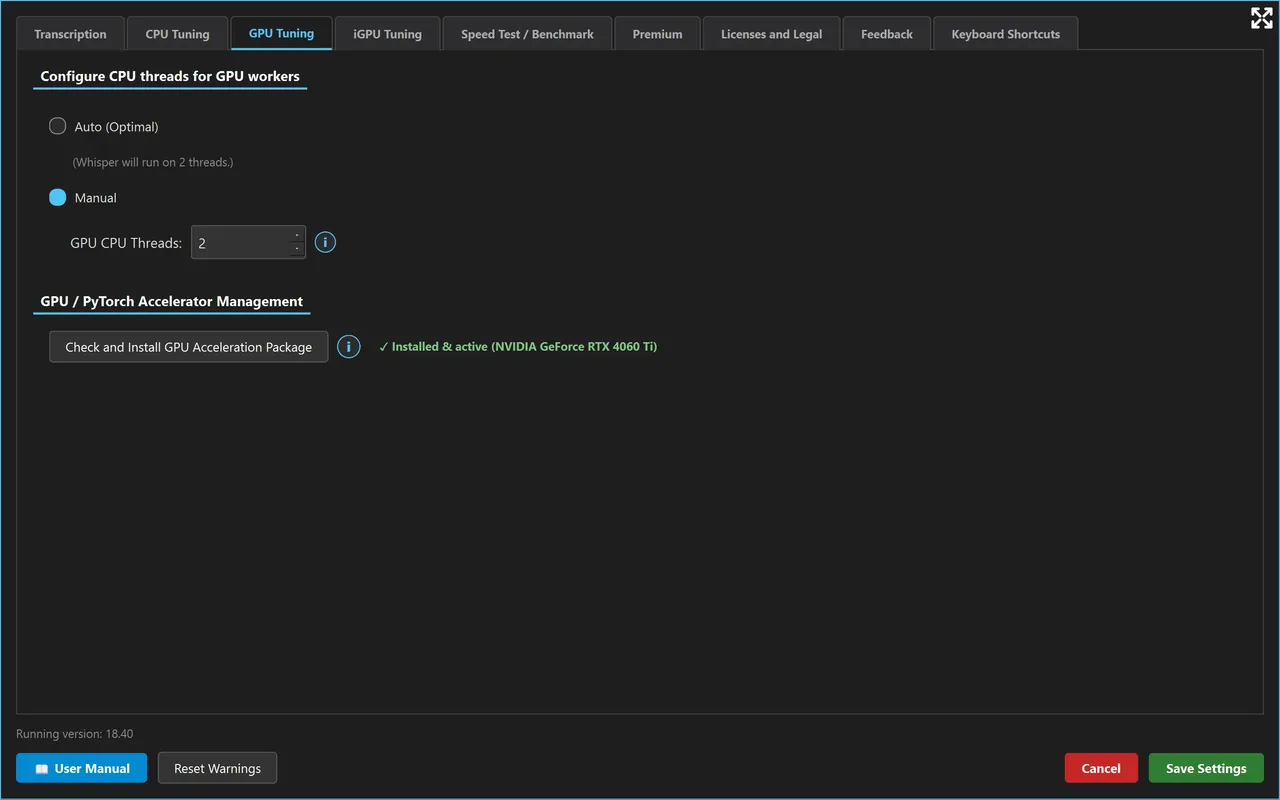
Studio-grade desktop speech-to-text and subtitling suite powered by OpenAI Whisper Large-v3, PyAnnote Audio, dGPU acceleration, and 100+ languages. v1830 BETA ready now; manual-documented first stable v1840 coming soon!
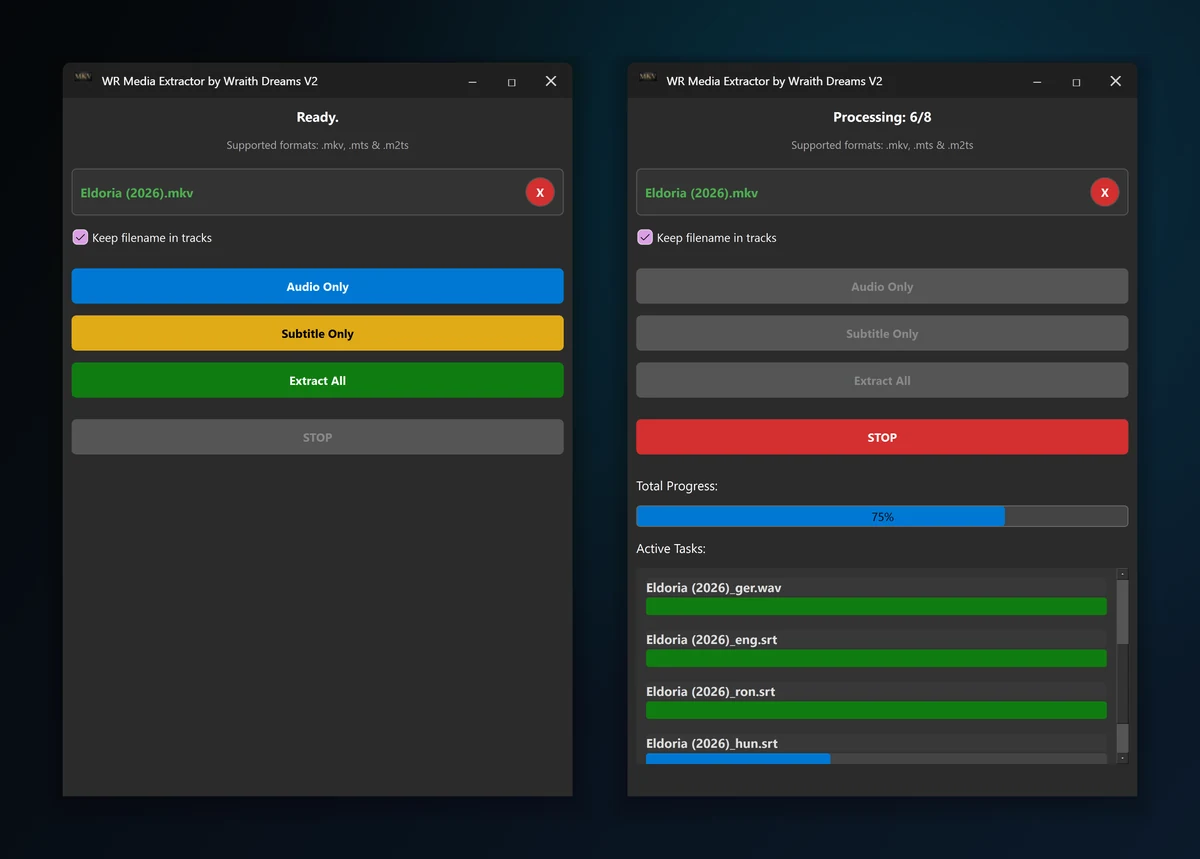
Lightweight, fully offline desktop utility: extracts every audio track (.wav) and subtitle track (.srt / .sup) from .mkv, .m2ts and .mts files in one click – no account, no internet connection.
Active engineering is underway for the first stable Whisper Transcriber Pro v1840 (detailed in the published user manual), alongside new dedicated studio utilities for Windows, macOS, and Linux!
FLAGSHIP STUDIO SUITE • v1830 BETA (FIRST STABLE: v1840 SOON)
Whisper Transcriber Pro
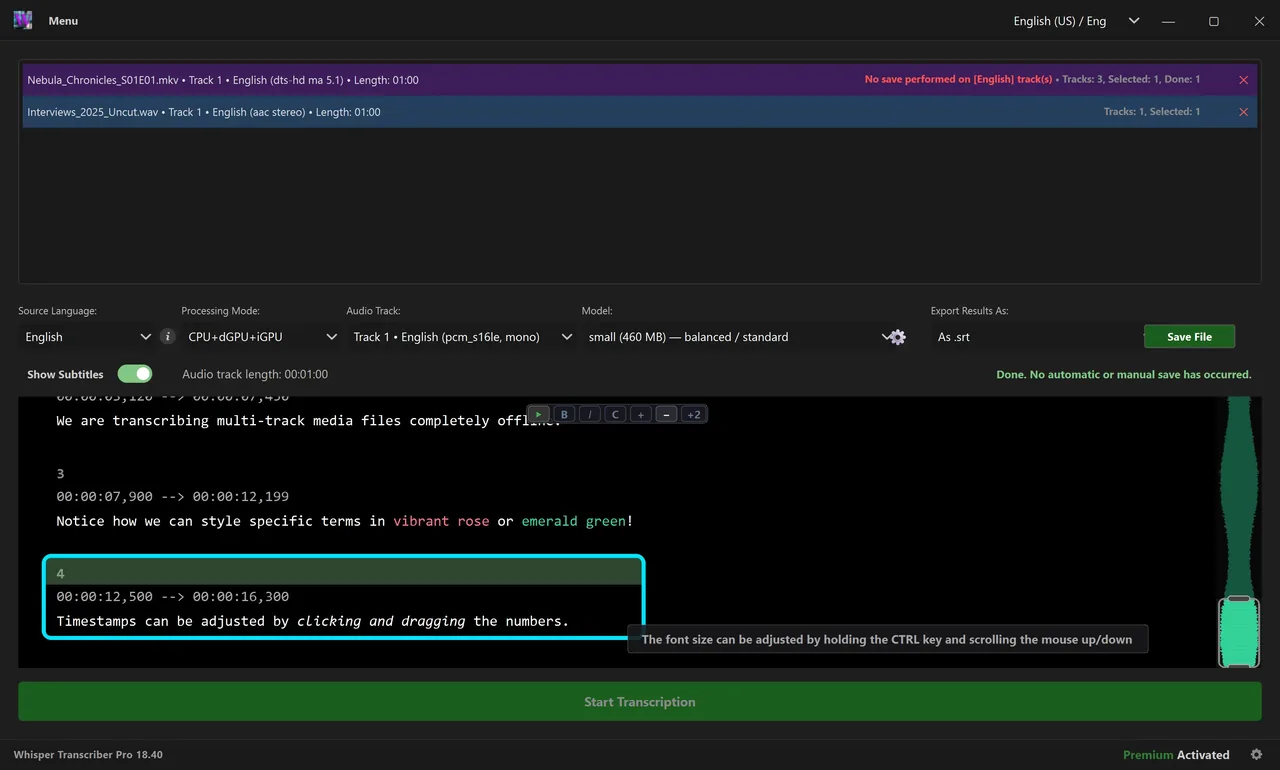
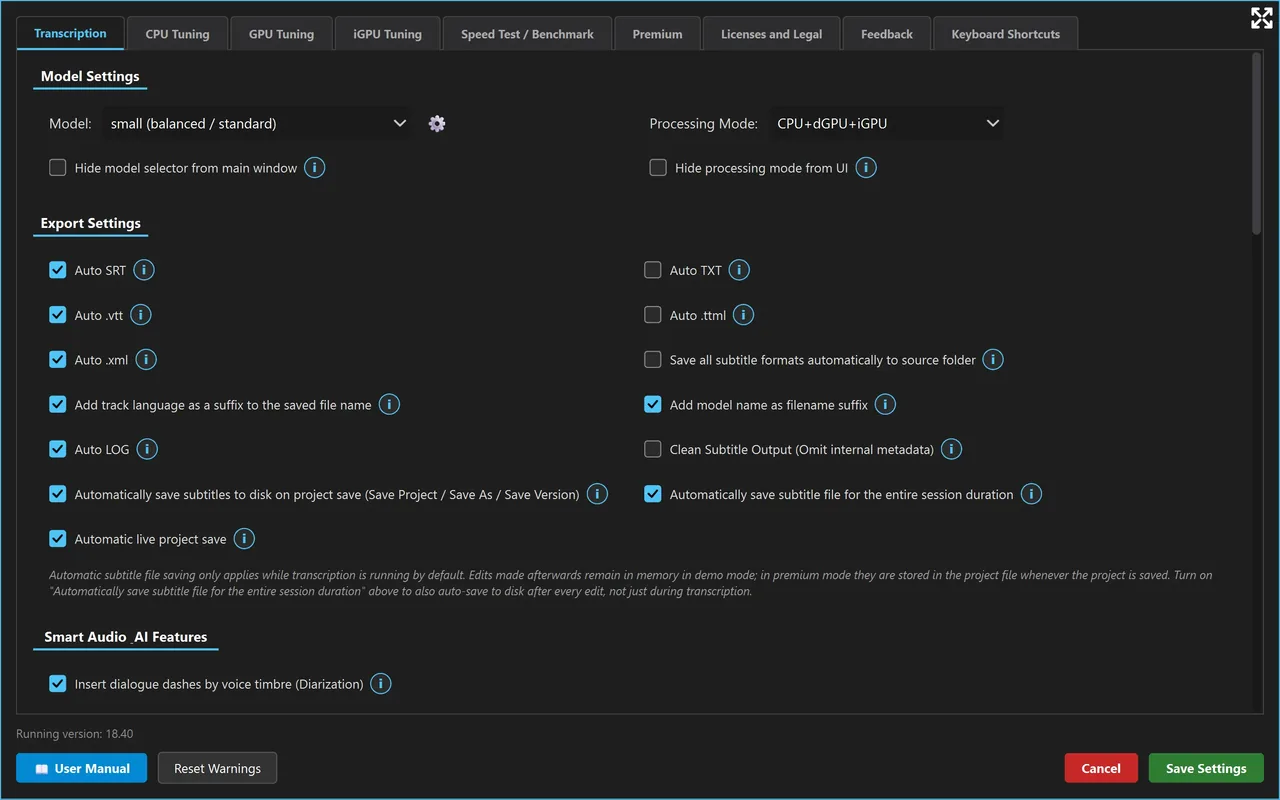
Whisper Transcriber Pro is an industrial-grade workstation software for speech-to-text transcription and subtitling, merging the OpenAI Whisper Large-v3 neural transformer with PyAnnote Audio 3.1 acoustic clustering. Engineered for broadcast and studio workflows, it provides sample-accurate timecoding, Silero-VAD noise gating, and an integrated waveform editor — 100% on-premises with absolute data confidentiality.
Version Status & User Manual:
Currently, the Whisper Transcriber Pro v1830 BETA release is available for download and use. The comprehensive technical user manual published on this site documents the upcoming v1840 release, which will be the first stable release of the software and is currently under active engineering development.
OpenAI Whisper Large-v3 & Neural Decoding:Industrial-grade acoustic modeling delivering superior transcription accuracy across noisy theater recordings, complex dialogues, and challenging multi-speaker environments.
Silero-VAD & Neural Hallucination Suppression:Integrated Voice Activity Detection (VAD) eliminating silence intervals, background music, and repetitive neural hallucinations typical of raw transformer models.
PyAnnote Audio 3.1 Timbre Diarization:Timbre-based neural speaker clustering separating individual voices across conversation turns, with automated role tagging and speaker-differentiated subtitle outputs.
Interactive Waveform Subtitle Editor:Real-time audio waveform visual timeline, full Undo/Redo stack, search & replace, and word-safe line wrapping compliant with international broadcast subtitling standards.
Universal Timecoded Export (.ass, .sub, .srt, .vtt, .docx, .txt):Automated disk synchronization, selectable charsets (UTF-8, ANSI), and direct export to broadcast containers (.ass, .ssa, .sub) and formatted production scripts.
The Pro license key is digital content delivered immediately after payment. By purchasing, you expressly request immediate delivery and acknowledge that you thereby lose your statutory right of withdrawal: all purchases are final and non-refundable, and the price of a paid license cannot be reclaimed in exchange for returning the license key. Defects are corrected through updates; details: Terms and Conditions
★★★★☆4.0 / 5.0 •
8 verified studio reviews (Version: v18.40)
Kovács Bencev18.40
★★★★☆2026-09-14
I bought v18.40 a week ago for subtitling podcast episodes. The speed is brutal on my 4070 card, and the fact that it doesn't send the raw sounds to the Internet is a huge relief!! I give it a strong 4 stars now, I can hardly wait for the next update regarding the library management, then it will definitely be 5 stars.
🌐 Auto Translated
Dave Miller (Legal transcription)v18.40
★★★★☆2026-09-19
Been using v18.40 for client depositions all week. Completely airgapped on my workstation so our NDA compliance officers are finally happy lol. Accuracy with large-v3 is top notch. Giving 4 stars for now, really looking forward to the batch processing update you promised!
🌐 Auto Translated
Mihai C.v18.40
★★★★☆2026-09-23
I switched to v18.40 after I got tired of monthly subscriptions in the cloud. The fact that it runs locally and does not send audio to external servers is pure gold for my interviews. It runs super fast on Nvidia. 4 stars deserved, I'm looking forward to the next update for direct srt export!
🌐 Auto Translated
dr. Szabó Péterv18.40
★★★★☆2026-09-27
I use v18.40 when recording medical consultations, due to strict data protection only an offline solution was possible. It also recognizes Hungarian technical words very well, surprisingly well! 4 stars for now, looking forward to the announced template update for notes.
🌐 Auto Translated
Alex Thornev18.40
★★★★☆2026-09-29
Solid tool. No cloud lag, no tokens, just boots up and rips through 2hr WAV files on local GPU. v18.40 fixed the small VAD hiccups from before. 4/5 stars from me – cant wait for the next update with custom dictionary hotkeys.
🌐 Auto Translated
Andreea Raduv18.40
★★★★☆2026-10-01
I use it for video editing for subtitles in Romanian and English. v18.40 is much more stable and doesn't eat random ram. It's a relief to know that you don't depend on the internet at all. I give 4 stars with love, I can't wait for the new updates announced!
🌐 Auto Translated
Stefan K.v18.40
★★★★☆2026-10-03
Finally a real offline solution without the need for the cloud! Version v18.40 runs super smoothly on my Ryzen + RTX setup and the speaker separation is really usable. I give it 4 stars, I'm really looking forward to the upcoming feature updates.
🌐 Auto Translated
Tamás (video vágó)v18.40
★★★★☆2026-10-05
I had to listen back to the script of theater rehearsal recordings, v18.40 saved me days. It runs locally on my laptop, does not heat up the machine unnecessarily and does its work quietly. 4 stars, I can't wait for the autumn refreshments!
🌐 Auto Translated
Share your review of Whisper Transcriber Pro
Reviews are moderated before appearing publicly.
Click to zoom
FREE UTILITY • LIGHTWEIGHT & INSTANT
WR Media Extractor by Wraith Dreams V2
This purpose-built utility extracts every audio track (.wav) and subtitle track (.srt / .sup) from your .mkv, .m2ts and .mts files in one click – fully offline, no cloud, no account. A perfect companion for editors and subtitlers.
Clean Output:audio tracks become uncompressed 16-bit PCM WAV files; picture-based subtitles (PGS) are saved as they are (.sup).
Platform & License:64-bit Windows 10 (1809+) and Windows 11; per-user installation without administrator rights. Free, works without an account or network connection; may be redistributed freely for non-commercial use.
Free, ultra-fast MKV audio and subtitle stream extractor. Be the first to share your thoughts on V2!
Share your review of WR Media Extractor
Reviews are moderated before appearing publicly.
THE HUMAN BEHIND THE CODE
Software & SI: The Freedom of Creative Logic
Founder Norbert Zsolt Szabó's journey from syntax barriers to natural language engineering.
Click to zoom
1.The Beginnings: When Syntax Was Still a Barrier
Few people know this about me, but I majored in math and computer science in high school. Between 9th and 12th grade I was already deeply interested in the world of technology. Back then, Pascal was the curriculum, and I honestly admit that writing syntax was far from my strong suit, and I found the pace of development terribly slow, inefficient and boring. To me, the bandwidth of software development was a disappointingly slow and boring process, so at the time I was more interested in filmmaking and video editing. My strong ability to think in complex algorithms, however, proved to be a great strength even in my film projects. What captivated me even then was the internal logic of software, creating operational principles, and system-level design.
2.Production Reliability and Workflow Ergonomics
Over the years of directing and post-producing complex broadcast projects, I have utilized virtually every leading industry suite, frequently encountering bottlenecks rooted in architectural inconsistencies and ergonomic friction. In an exacting studio environment, deterministic reliability is not a luxury—it is fundamental: technology must transparently and reliably serve creative intent.
I have consistently maintained an acute diagnostic perspective on systemic anomalies. When examining any production pipeline, beyond cataloging surface errors, my focus immediately gravitates toward foundational structural optimization and human-centered design. The objective is to engineer purpose-built tools that strictly conform to modern broadcast and high-throughput production standards.
3.The Breakthrough: Programming in Natural Language
"As Jensen Huang, CEO of NVIDIA famously professes: the most important programming language today is natural human speech." (World Government Summit, Dubai, February 2024)
The turning point came in 2024, when I discovered SI-supported development. It was a relief that syntactic difficulties are no longer an obstacle. I can finally focus on what really interests me: functions, logical structure, and user journeys.
I formulate the concept fluently in Hungarian or English, and the LLM translates it into Python. OpenAI's o1 model, and then the release of Gemini 3.1 brought the level where my instructions formulated with engineering precision result in immediately working code 99% of the time.
I perceive this modern paradigm as the symbiosis of high-level architectural governance and SI-assisted software engineering. Rather than expending intellectual energy on manual syntax mechanics, focus is directed toward neural transformer integration, high-throughput dGPU tensor pipelines, and broadcast-grade ergonomics. Collaborating closely with advanced frontier models allows an independent engineer to sustain production velocity, mathematical precision, and system robustness that historically required dedicated engineering departments.
SECURITY TRANSPARENCY & INDIE ADVISORY
Windows Defender SmartScreen — Quick Launch Guide
Why does Windows display the blue warning on first launch, and how to start the app in 2 simple clicks?
Strictly Official Download Source & Liability Disclaimer
Always download our applications (specifically Whisper Transcriber Pro and WR Media Extractor) strictly and exclusively from the official wraithdreams.com platform via the verified download links published here! Our software tools are currently NOT officially distributed on any third-party software repository, external mirror, or marketplace. Builds obtained from unauthorized external sites, file-sharing portals, or modified "cracked" repack releases present severe cybersecurity hazards and may carry viruses, trojans, or spyware. Wraith Dreams guarantees digital cleanliness and binary integrity solely for original installers downloaded directly from our official channels; we expressly assume zero liability for damages, data corruption, or system malfunctions resulting from unverified third-party packages or non-original installers.
Windows Defender SmartScreen
×
Windows protected your PC
Microsoft Defender SmartScreen prevented an unrecognized app from starting. Running this app might put your PC at risk.
This advisory banner is a completely natural false positive (false alarm)! Microsoft Defender SmartScreen displays this alert solely because our independent Wraith Dreams Software brand and newly released installer versions have not yet accumulated widespread telemetry signals across a massive volume of installed machines. Our tools are 100% clean, verified compiled binaries, completely virus-free, and safe — readily launched in two simple clicks below.
Kiadó / Publisher: Ismeretlen kiadó (Wraith Dreams Software)
👉STEP 2: Click on the "Run anyway" button
Run anyway
Don't run
View actual screenshot
Guaranteed Data Confidentiality & Zero Telemetry:
Every desktop application operates strictly on-premises as a compiled clean binary. It contains zero third-party trackers, no adware, and zero outbound network telemetry.
Microsoft Defender SmartScreen relies on cloud telemetry reputation metrics: newly released or updated binary builds trigger an advisory banner until accumulating a broad threshold of telemetry signals.
Official Microsoft Documentation: “Checking downloaded files against a list of files that are well known and downloaded frequently. If the file isn't on that list, Microsoft Defender SmartScreen shows a warning, advising caution.”
This means the notification appears solely because the fresh build has not yet accumulated sufficient download frequency across machines, NOT because it contains malware.
Enterprise Extended Validation (EV) hardware certificates entail significant recurring overhead that we refuse to pass onto our users. Development resources remain strictly channeled into compute optimization and direct engineer support.
Authenticity & Liability Disclaimer:
As our applications are not officially available anywhere else, we strictly disclaim liability for any damage caused by unverified third-party copies, repacks, or modified installers.
GET IN TOUCH & FEATURE REQUEST
Have a Question or Feature Idea?
Write directly to Norbert! Your feedback shapes the future versions of Whisper Transcriber Pro and upcoming tools.